
Portrait card production requirements
2013-07-29 · Portrait card layout requirements include formats such as "CorelDRAW 9, Photoshop, Illustrator," but it is best to use "CorelDRAW 9" format, and it should be in duplicate: one curved and one non-curved to facilitate layout and layout. If using Photoshop, it is best to provide a draft without merging layers.
Portrait card productionRequirements
1: Portrait card layout
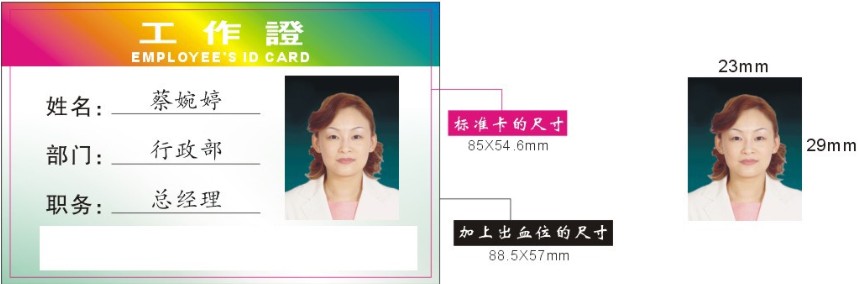
1> Standard card size: 85*54.6mm, added blood slot size: 88.5*57mm (width + 3.5mm, height +3mm)
As shown in the figure below:
2> Layout requirements are "CorelDRAW 9, Photoshop, Illustrator" formats, but "CorelDRAW 9" is preferred, and it should be in duplicate—one converted to curves and one without curves for easier layout and layout. If using "Photoshop," it is best to provide a draft without merging layers.
[Portrait Card 1]
2: Portrait card database
1> All materials must be provided in "Excel" format (see figure below)
[Portrait Card Image 2]
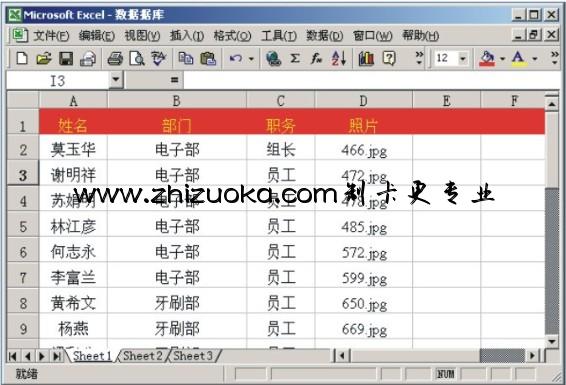
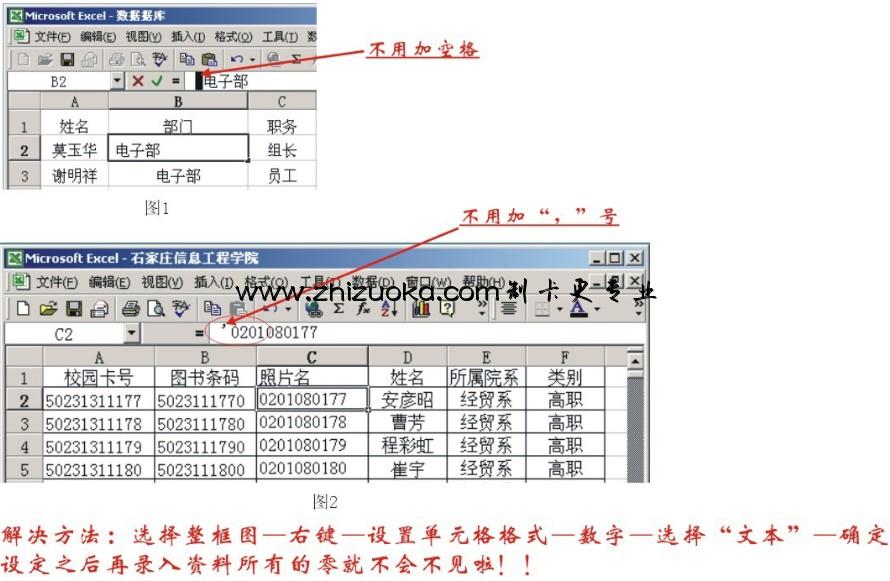
2> For the two-character name, no spaces are needed when entering documents (e.g., portrait card 3).
If you need to create a character, mark it in the database and fax it over promptly.
3> Do not add a "," sign before personalized information. Some clients add a "," sign before the input number because it is preceded by a "0" and cannot be displayed during entry, but the database does not see it. This way, the formatting will add an extra "," symbol (e.g., portrait card 3).
2: Portrait card photo
1> Photos are generally provided in three ways: (1) computer file formats (JPG, BMP, PSD), etc., (2) Traditional portraits like "half-inch photos." The ideal photo is a high-precision digital photo.
2> Photo naming should correspond one-to-one with the database. (See the figure below)
[Portrait Card 4]
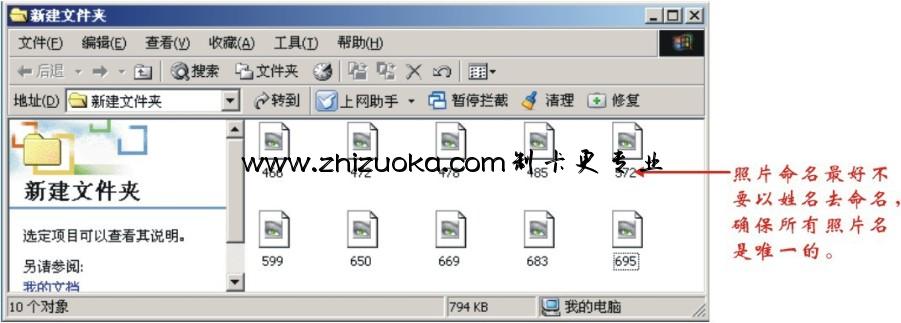
3> The photos provided must be clear, free of noise and skewness, and absolutely no white borders. The photo accuracy must be 300dpi; anything below 300dpi requires customer confirmation.
[Portrait Card 5]
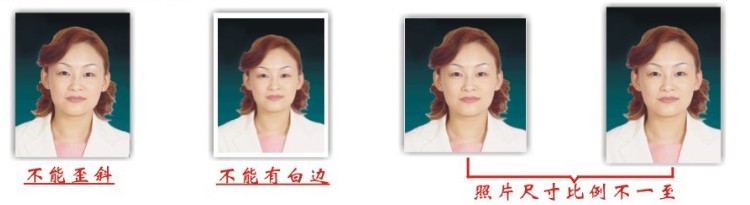
4> Photo size requirements should follow the proportions of the layout, with no width or length.
5> When naming databases and photos, there should be no spaces or other useless characters at the beginning.
6> For the character 'name', no spaces are needed when entering documents.
If you need to create a character, indicate it in the database and fax it promptly.
Get a quote plan
Just state your usage scenario and we can provide you with a quote! Thank you for your cooperation!