
Free download of the membership management system, free explanation of the membership card management system
2013-04-10 · Free download of the membership management system, free explanation of the membership card management system
If it's your first time using this software, just use the default account and set the password to empty.
If you find a solution that doesn't work, you can also email us. Email address: [email protected]
Increased spending:
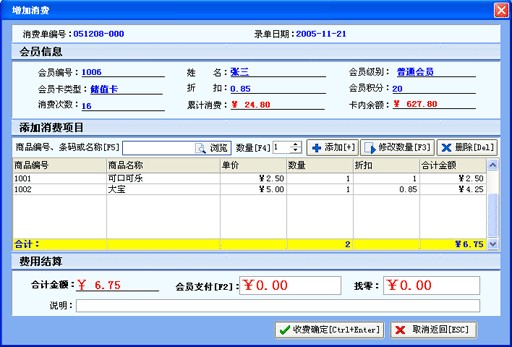
Enter your membership card number or name in the input box to confirm and query member information, which will display detailed historical messages. The yellow line indicates the member's return record. Then click "Add Spend" or press the shortcut "+" to open the Add Spend window as shown below:
Product Returns:
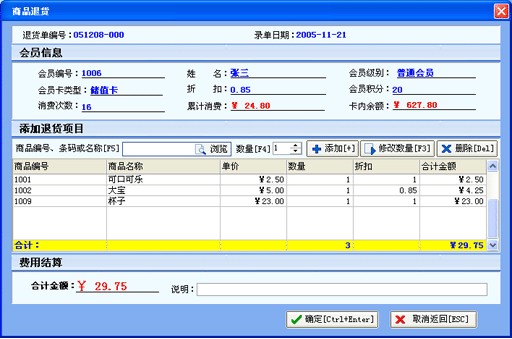
In the input box, enter the product number, barcode, or name, then press Enter to go to the quantity section to modify the quantity of the product for sale, then add it. If you want to modify the product quantity after adding a product, first select the row where the product is to be modified, then modify the quantity, and then click "Modify Quantity."
Redeemable Products:
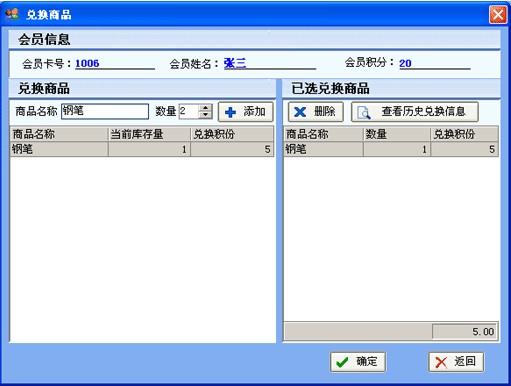
Enter the product you want to exchange, then click Add or double-click the record to complete the product exchange process.
Member Management:
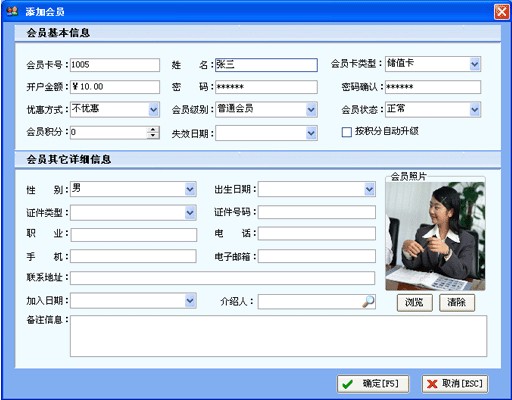
Add as a member:
Click "Add" or press the shortcut "+" to open the Add Consumption window as shown below:
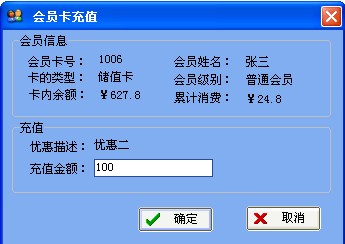
Membership card recharge:
Click the "Recharge" button or press the shortcut key "F5" to open the following window. Enter the amount you want to recharge in the input box and click OK.
Inter-card transfers:
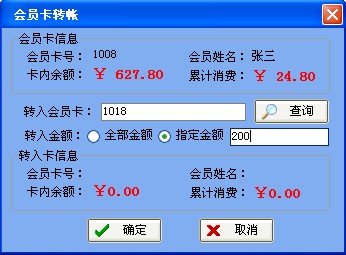
You can transfer part or all of the amount from the designated membership card.
Member Card Renewal:
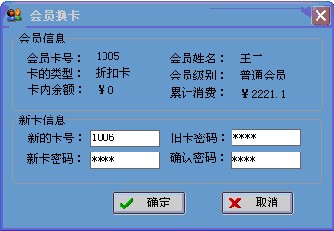
Enter your new membership card number. At this point, you need to verify your old card password, then enter your new password to confirm.
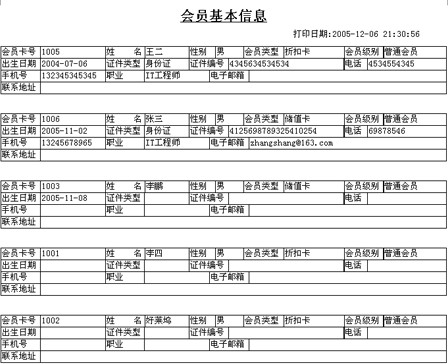
Printing Basic Member Information:
Statistical Analysis:
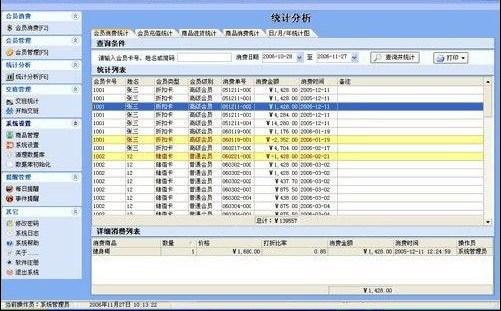
Member Spending Statistics:
Statistical analysis can be conducted by member and specific time period.
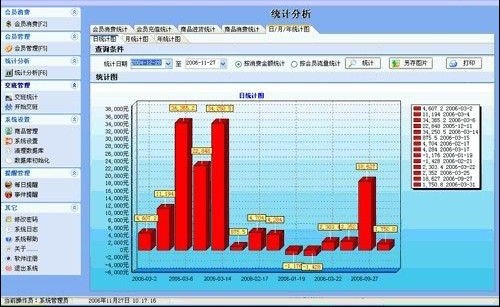
Daily/monthly/yearly statistical analysis:
Statistical analysis can be performed over a period based on spending amount or number of member spenders.
Product Setup:
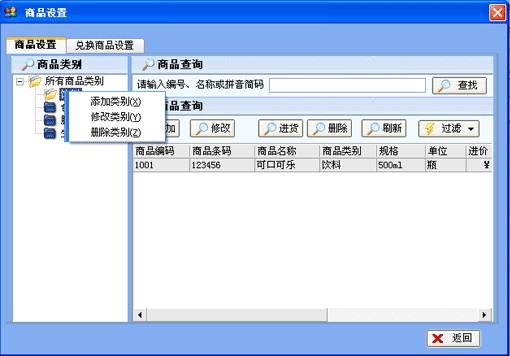
Add, modify, or delete product categories:
Right-click in the product category, then select Add, Modify, or Delete product categories from the pop-up menu.
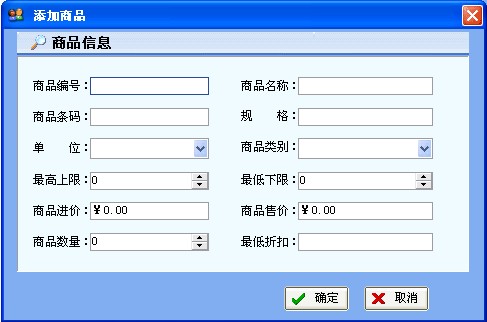
Added products:
Click the Add button, and the following window will pop up:
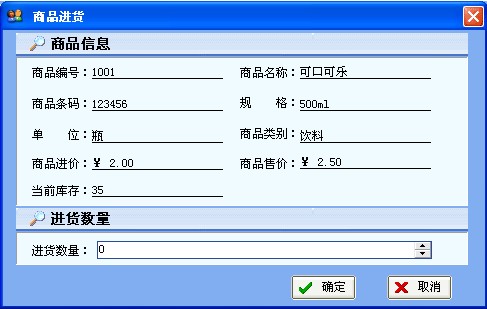
Product Sourcing:
Enter the quantity you want to purchase, then click OK.
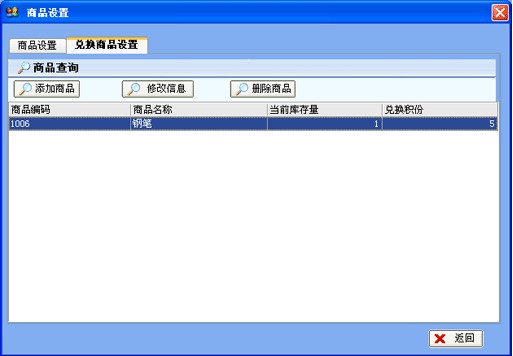
Redemption product settings:
Software Registration:
First,Write down your registration code, then specify the username you want to register, your name, contact phone number, and detailed address.
Send us via phone email, MSN or QQ, Tongchi email, or QQ so we can serve you better and more promptly.
After sending your email, QQ, or phone contact us.
Phone: 18666911248
E-MAIL:[email protected]
QQ:1755194218
Software registration method
Software registration price:
Standard standalone version: 800 RMB per set
If you need the standalone professional version or the online version, please contact us
Select "Other" - > "Software Registration" to open the registration form. Enter the correct registration code and click the "Register" button.
Get a quote plan
Just state your usage scenario and we can provide you with a quote! Thank you for your cooperation!